Post Planner for Facebook Canva KDP Interior
If you’re juggling social media content, self-publishing, or client-facing design work—especially on Facebook—you know how much time gets lost in formatting, resizing, and reworking layouts. That’s where the Post Planner for Facebook Canva KDP Interior steps in: a purpose-built, fully editable interior template designed to streamline planning, publishing, and print-ready output—all in one cohesive system.
This isn’t just another printable planner. It’s a hybrid tool bridging digital workflow (via Canva) and physical or commercial use (via high-resolution PDF, JPG, and PNG files). Whether you're scheduling weekly posts for your small business page, prepping interiors for a Kindle Direct Publishing workbook, or building a branded content calendar for a coaching program, this resource adapts to your process—not the other way around.
What Makes This Planner Different?
Most Facebook planners live entirely online—or exist as static PDFs you can’t meaningfully change. The Post Planner for Facebook Canva KDP Interior breaks that mold by delivering both an editable Canva link and print-ready files in one package. You’re not locked into a single format. Want to tweak fonts, adjust spacing between sections, swap color palettes to match your brand, or drop in custom photos? Done—in seconds, inside Canva.
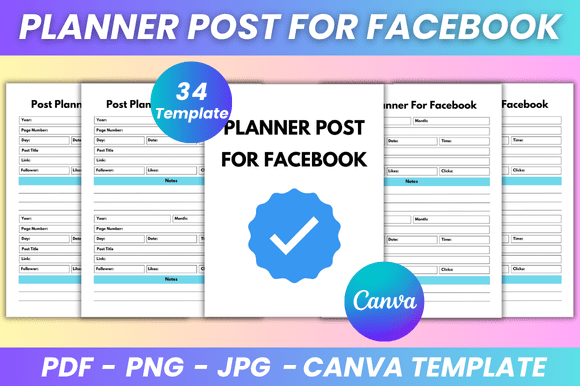
The interior spans 34 clean, minimal pages—thoughtfully structured with practical functionality: a “Belongs To” cover page, 30 dedicated planner pages for content ideation and scheduling, space for notes, and a polished “Thank You” closing. Every page is sized precisely at 8.5 × 11 inches, no bleed, optimized for both screen use and professional printing. And because it’s built for Canva, there’s zero software dependency beyond your browser—no Adobe Illustrator license, no learning curve for complex tools.
Real-World Use Cases That Actually Work
For solopreneurs and freelancers: Imagine launching a new service and needing to post consistently across Facebook while also creating a companion workbook for clients. With this planner, you draft captions, outline visuals, and map out your launch week—all inside the same layout you’ll later export as a sleek PDF for your KDP interior. No copy-pasting between apps. No mismatched fonts or inconsistent margins.
For educators and course creators: Use the note sections to jot down discussion prompts or reflection questions. Then export individual pages as JPGs to embed directly into a private Facebook group or LMS. The clean design keeps attention on your message—not distracting graphics or cluttered grids.
For marketers managing multiple accounts: Duplicate the Canva file, rename it per client, and customize colors and headers in under two minutes. Maintain visual consistency across brands without rebuilding from scratch each time. The editable structure supports rapid iteration—critical when testing messaging or adapting to algorithm shifts.
For authors and KDP publishers: This interior isn’t just functional—it’s publication-ready. The 34-page count aligns with common low-content workbook lengths. The minimalist aesthetic appeals to readers who value clarity over decoration. And because you control every element—font weight, line height, image placement—you ensure your interior meets Amazon’s formatting guidelines *and* reflects your voice.
Why Editability Matters More Than You Think
Static templates fail when your needs evolve. A font that looked sharp in January may feel dated by March. A layout that worked for your personal brand might not resonate with a corporate client. The Post Planner for Facebook Canva KDP Interior avoids obsolescence by putting full control in your hands. Change heading sizes for better readability on mobile previews. Swap out placeholder images for authentic behind-the-scenes shots. Adjust spacing to accommodate longer captions or tighter deadlines.
And unlike many Canva templates that lock layers or restrict background edits, this one is built for flexibility. Text boxes are ungrouped. Colors use named swatches (not hardcoded hex values), making global changes effortless. Even the grid structure respects Canva’s responsive canvas—so edits scale cleanly across devices.
What You Actually Receive—and Why It’s Thoughtful
- Editable Canva Link — Instant access, lifetime updates, no expiration.
- High-quality PDF files — Print-ready, CMYK-safe, 300 DPI, no bleed, 8.5 × 11 inches.
- JPG & PNG exports — Ideal for digital sharing, social previews, or embedding in presentations.
- Clean, minimal design — Prioritizes function without sacrificing polish.
- 34 total pages — Includes cover, planner spreads, notes, and closing—no filler.
There’s no subscription. No upsell. No hidden fees. Just immediate download and ongoing access to refine, reuse, and repurpose—whether you’re planning next month’s content or designing your fifth KDP workbook this year.
A Few Practical Notes Before You Begin
You’ll need a free Canva account to edit—but no Pro subscription is required. All fonts used are available in Canva’s free library, and image placeholders link directly to Canva’s stock photo collection (or accept your own uploads). When exporting PDFs for KDP, double-check Amazon’s latest interior requirements—though this template was built to comply with current standards (margins, resolution, orientation).
Also worth noting: This is an independent tool. It is not affiliated with, sponsored by, or endorsed by Facebook or Meta Platforms, Inc. The Facebook® name and logos are registered trademarks owned by Meta. This planner exists solely to help creators organize, visualize, and execute their content strategy—ethically, efficiently, and effectively.
New designs are added regularly based on real user feedback—so if you spot a gap (a quarterly view, a content audit section, bilingual layouts), chances are it’s already in development. Bookmark the shop. Check back. Your workflow deserves tools that grow with you—not ones that collect dust after launch week.
Thanks for stopping by. And yes—this interior was made with care. ❤️