Planner Bundle Canva Kdp Interior
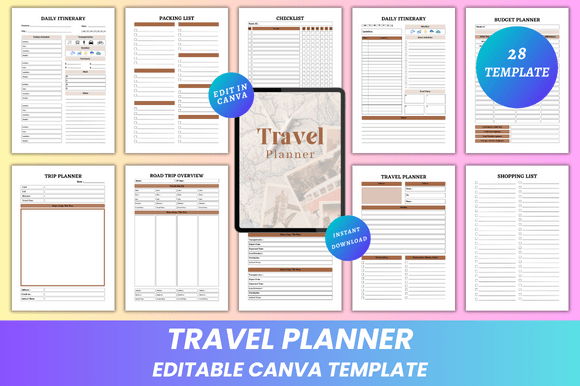
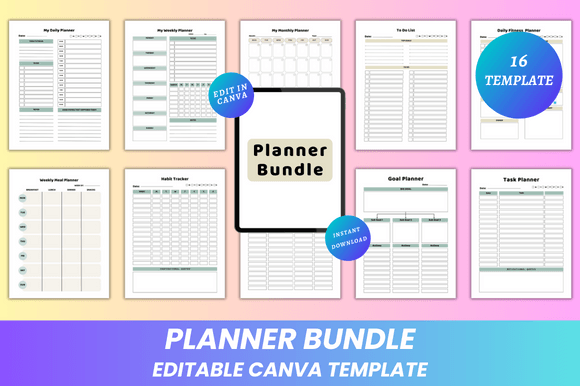
A well-designed planner isn’t just a tool—it’s infrastructure for intentionality. The Planner Bundle Canva Kdp Interior delivers that infrastructure with precision: 16 fully editable, print-ready pages built for clarity, adaptability, and real-world use. Unlike static templates or rigid digital apps, this bundle gives you full creative control—fonts, colors, layout, spacing, imagery—all within Canva’s intuitive interface. You’re not choosing between “what’s available” and “what you need.” You’re starting with a clean, minimal foundation and shaping it to match your workflow, brand voice, or personal rhythm.
Why Editable Design Matters More Than You Think
Most planners fail not from poor structure—but from misalignment. A fitness coach needs different visual hierarchy than a freelance writer. A small business owner tracking cash flow requires distinct emphasis compared to a student managing deadlines. The Planner Bundle Canva Kdp Interior avoids one-size-fits-all compromises by making every element adjustable. You can shift the habit tracker from page 7 to page 2. Swap serif headings for geometric sans in seconds. Replace placeholder icons with custom illustrations that reflect your aesthetic. That level of control isn’t about decoration—it’s about reducing cognitive load. When your planner looks and feels like *you*, engagement increases. Consistency follows. And consistency compounds into progress.
Strategic Use Cases Across Roles
This isn’t a novelty download. It’s a lever for specific outcomes:
- Entrepreneurs and solopreneurs use the Budget Planner and Goal Planner to align quarterly priorities with daily actions—then customize color coding to signal urgency or category (e.g., blue for revenue, green for learning, amber for admin).
- Educators and course creators repurpose the Weekly Meal Planner layout as a lesson-planning grid—swapping food categories for class topics, timing blocks, and resource links.
- Freelancers and marketers combine the Task Planner and My Notes pages into client-specific workbooks—adding branded headers, project timelines, and revision checklists before exporting as PDFs for handoff.
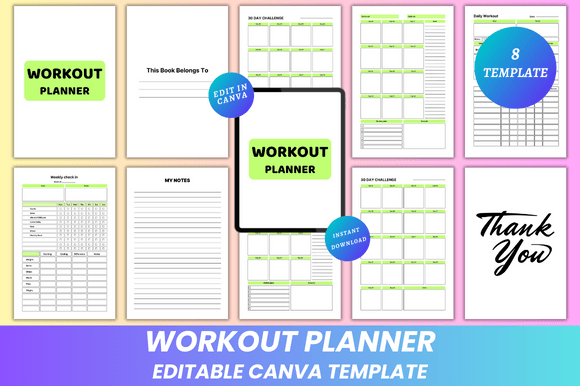
- Small business owners embed their logo into the Belongs To page and use the Doodle Page for rapid whiteboarding during team syncs—then scan and archive as PNGs for internal documentation.
Each use case starts with the same editable Canva link—but diverges based on purpose, audience, and outcome. That flexibility is strategic, not incidental.
What “Fully Editable” Actually Enables (and What It Doesn’t)
The phrase “fully editable on Canva” means more than font swaps. It means:
- You can adjust column widths in the Weekly Planner to accommodate longer meeting notes or tighter time blocks.
- You can convert the Daily Fitness Planner into a hydration or mindfulness log by replacing exercise prompts with reflection questions.
- You can layer transparent PNG overlays onto the Habit Tracker to create visual streaks—or remove them entirely for a cleaner look.
- You can export individual pages as JPGs for social media planning posts or as PNGs with transparent backgrounds for embedding into presentations.
But “editable” doesn’t mean “infinitely scalable.” These are fixed 8.5 × 11-inch pages—no bleed, optimized for home printing or professional output. That constraint is intentional. It ensures consistency across devices and printers, eliminates cropping surprises, and keeps focus on content—not technical troubleshooting. If you need A4 sizing, multi-page spreads, or interactive form fields, this bundle isn’t designed for those use cases—and that’s a strength, not a limitation. Clarity of scope enables reliability of execution.
When to Customize—and When to Commit
Customization has diminishing returns without grounding in intent. Ask yourself before editing:
- What decision am I trying to support? (e.g., “I need to see weekly priorities at a glance” → prioritize the Weekly Planner layout over decorative elements.)
- What behavior do I want to reinforce? (e.g., “I forget to review goals weekly” → place the Goal Planner right after the Belongs To page so it’s the first thing you see when opening the PDF.)
- What friction will this change remove—or introduce? (e.g., adding photos to every page may slow down printing; using low-contrast text may reduce readability during quick scans.)
One practical tip: Start with three pages only—My Daily Planner, Habit Tracker, and To Do List. Customize those deeply. Use them consistently for two weeks. Then assess what’s working, what’s redundant, and where additional structure (like the Budget Planner) adds measurable value. Intentional iteration beats exhaustive upfront design.
Risks of Using Without Context
An editable planner becomes counterproductive when used as a distraction from action. Common pitfalls include:
- Over-customizing before testing: Spending hours adjusting fonts and colors instead of writing the first week’s tasks.
- Ignooring output requirements: Adding high-res photos that bloat file size, making PDFs slow to open on mobile devices—even though the bundle includes optimized JPG and PNG exports for lighter sharing.
- Misaligning format with function: Using the Weekly Meal Planner for project deadlines because it “looks nice,” even though its columns aren’t structured for dependency mapping or stakeholder assignment.
These aren’t flaws in the Planner Bundle Canva Kdp Interior. They’re reminders that tools serve strategy—not the other way around.
Long-Term Value Beyond the First Download
Lifetime access and instant download mean this isn’t a transaction—it’s an evolving asset. As your role shifts (freelancer → agency founder, teacher → curriculum designer), your planning needs evolve. The Planner Bundle Canva Kdp Interior supports that growth because its architecture is modular, not monolithic. You don’t need a new bundle—you need a refined version of the same one. Add a new page for client onboarding. Repurpose the Notes section as a competitive analysis log. Convert the Thank You page into a quarterly gratitude reflection. Because every file is editable, your system grows with you—not against you.
Design Integrity Meets Practical Output
The clean, minimal design isn’t stylistic preference—it’s functional discipline. Ample white space reduces visual fatigue during long planning sessions. Consistent typography hierarchy guides attention without shouting. Thoughtful margins ensure no critical content vanishes at the printer edge. And the inclusion of both PDF (for reliability) and JPG/PNG (for flexibility) means you choose the format based on need—not compromise. Print at home for immediate use. Upload PDFs directly to KDP for interior files. Drop PNGs into Notion or ClickUp as embedded assets. The outputs are interoperable because the design respects real-world constraints.
Final Thought: Your Planner Is a Mirror—Not a Mandate
The Planner Bundle Canva Kdp Interior works best when treated as a responsive partner—not a prescriptive authority. It reflects how you think, what you value, and where you’re headed. But it only does that if you engage with intention. Edit to clarify—not decorate. Print to act—not collect. Revisit pages not to perfect them, but to ask: “Is this still serving the outcome I care about?” That kind of grounded, iterative use turns a template into a thinking tool. And thinking tools, when used deliberately, compound quietly—day after day, page after page, plan after plan.